
 Rackmount PC
 Embedded Computing
 Industrial Portable Computers
 Rugged Tablets
 Rugged Laptop
 Industrial Panel PC
 Rugged Handheld
 Advantech Industrial PC
How to Choose a Rugged Tablet for Cold Storage Warehouses
Table of Contents
- I. Introduction
- II. What Is a Rugged Tablet for Cold Storage Warehouses
- III. Why Ordinary Tablets Fail in Freezer Warehouses
- IV. Key Features to Look for in a Cold Chain Rugged Tablet
- V. Rugged Tablet vs Handheld Scanner
- VI. How to Choose the Right Rugged Tablet for Your Cold Chain Project
- VII.Why Choose SINSMART Rugged Tablets for Cold Storage Warehouses
- VIII. FAQ
Introduction
Introduction
Rugged Tablet deployment is becoming more important as cold chain logistics and freezer warehouses move toward faster, traceable, and system-connected operations. Grand View Research estimated the global cold chain market at USD 371.08 billion in 2025 and projected it to reach USD 1,611.0 billion by 2033, driven by changing consumer demand and e-commerce growth. For cold storage operators, logistics managers, food and pharmaceutical distributors, and WMS system integrators, this growth brings a practical challenge: ordinary tablets often struggle with low temperatures, condensation, glove operation, barcode scanning, forklift vibration, and long-shift battery use. This guide explains how to choose the right rugged tablet for cold chain logistics and freezer warehouses, what features matter most, and how to match the device with your WMS, scanning workflow, and real working environment.
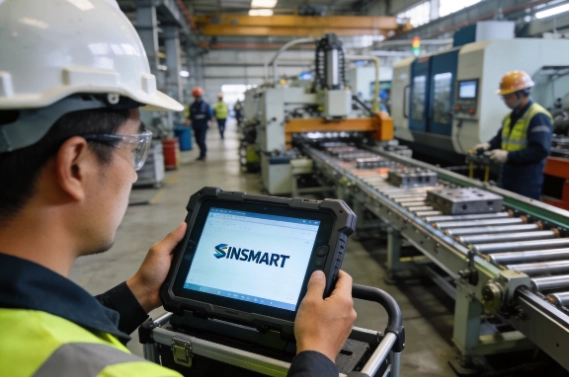
What Is a Rugged Tablet for Cold Storage Warehouses
A rugged tablet for cold storage warehouses is an industrial-grade mobile computer designed for low-temperature storage, refrigerated transportation, barcode scanning, inventory control, shipment verification, traceability, and WMS/ERP-connected workflows.
It is not just a consumer tablet with a protective case. A cold chain rugged tablet is designed for harsh industrial environments where workers need reliable computing, data capture, wireless communication, and physical durability. It can be used by warehouse operators, forklift drivers, cold chain delivery teams, quality inspectors, inventory managers, and system integrators.
In cold chain operations, the tablet is often used as a front-line data collection terminal. Workers can scan labels, check picking tasks, update inventory, confirm batch numbers, record damaged packaging, capture photos, and synchronize data with warehouse or logistics systems.
Where Cold Chain Rugged Tablets Are Used
A cold chain rugged tablet can be used in many temperature-controlled environments, including:
• Freezer warehouses
• Cold storage warehouses
• Frozen food warehouses
• Seafood and meat cold rooms
• Pharmaceutical cold chain warehouses
• Vaccine and medical supply storage
• Refrigerated trucks
• Cold chain distribution centers
• Supermarket fresh food logistics
• Forklift-mounted warehouse operations
• Loading docks and dispatch areas
For companies managing food, medicine, perishable goods, or temperature-sensitive shipments, reliable data capture is an important part of daily operations. The FDA’s food traceability rule also highlights the importance of maintaining traceability records for certain foods, especially when products move through complex supply chains. You can learn more from the FDA’s official page on FSMA traceability record requirements.
What a Rugged Tablet Does in Cold Chain Logistics
A rugged tablet for cold chain logistics can support several daily workflows:
|
Function
|
Cold Chain Value
|
|
Barcode scanning
|
Speeds up receiving, picking, dispatch, and inventory checks
|
|
RFID/NFC identification
|
Helps identify pallets, cartons, assets, or workers
|
|
WMS access
|
Keeps inventory data synchronized with warehouse systems
|
|
Camera
|
Records damaged packaging, exceptions, or delivery proof
|
|
Wi-Fi and Bluetooth
|
Connects with warehouse networks, printers, scanners, or temperature devices
|
|
4G/5G and GPS
|
Supports refrigerated trucks and last-mile delivery
|
|
Glove touch
|
Allows workers to operate the device without removing gloves
|
|
Mounting and docking
|
Supports forklift, vehicle, or fixed workstation use
|
For warehouse-focused applications, SINSMART offers industrial rugged tablet options under its industrial rugged tablet PC product category. For warehouse deployment scenarios, users can also review SINSMART’s warehouse rugged tablets page.

Why Ordinary Tablets Fail in Freezer Warehouses
Ordinary tablets may work well in offices, retail shops, or normal warehouse environments. However, freezer warehouses are much more demanding. A rugged tablet for freezer warehouses must be selected based on the actual operating conditions, not only on screen size or price.
Low Temperature Can Reduce Battery Performance
Freezer warehouses often operate at low temperatures for long periods. Consumer tablets are usually not designed for continuous cold storage use. Low temperature can reduce battery performance, shorten operating time, slow device response, or cause unexpected shutdowns.
For cold chain operations, device downtime can affect picking, inventory checking, loading, dispatch, and traceability records. That is why buyers should check whether the rugged tablet is suitable for the required operating temperature and whether the battery design fits the work shift.
For long shifts, users may need:
• Long battery life
• Replaceable battery options
• Hot-swappable battery support
• Charging docks
• Vehicle charging for forklifts or refrigerated trucks
A low temperature rugged tablet should be evaluated as a complete system, including screen, battery, scanner, wireless modules, and accessories.
Condensation and Frost Can Damage Ordinary Tablets
Cold chain workers often move between freezer rooms, cold storage zones, loading docks, and normal-temperature areas. These temperature changes can create condensation on the device surface, screen, ports, or scanner window.
Moisture may affect:
• Touchscreen operation
• Charging ports
• Speaker and microphone openings
• Scanner windows
• Buttons
• Internal electronic components
• External connectors
A cold storage rugged tablet with sealed housing and IP-rated protection is more suitable for wet, cold, and condensation-prone environments. IP protection helps reduce the risk of dust, water, moisture, and certain cleaning-related exposure, depending on the actual environment.
Gloves Make Consumer Touchscreens Hard to Use
Freezer warehouse workers usually wear gloves. Removing gloves every time they need to scan a label or confirm a task slows down operations and can reduce worker comfort.
A rugged tablet for cold storage warehouse use should support glove touch, wet touch, stylus input, or programmable physical buttons. These features help workers complete common tasks faster, such as:
• One-click scanning
• One-click photo capture
• Task confirmation
• Data upload
• WMS screen navigation
• Inventory adjustment
For project-based deployment, SINSMART can help users evaluate whether glove touch, wet touch, custom buttons, barcode scanning, or docking accessories are needed for the actual workflow.

Drops, Forklift Vibration, and Impact Are Common in Freezer Warehouses
Freezer warehouses are high-intensity working environments. Devices may fall from carts, shelves, forklifts, packing stations, or loading areas. Forklift vibration and vehicle movement can also damage ordinary tablets over time.
A rugged tablet for freezer warehouses should be designed for industrial durability. Buyers often look for rugged housing, drop protection, vibration resistance, and mounting options. MIL-STD-810G/H-related rugged design is commonly used as a reference when evaluating devices for shock, vibration, and drop-related conditions.
Ordinary Tablets Are Not Designed for Industrial Barcode Workflows
Cold chain logistics depends heavily on barcode and data capture. Workers may need to scan cartons, pallets, batches, shelves, shipping labels, and delivery documents many times per shift.
External barcode accessories may be inconvenient, unstable, or difficult to manage in cold storage. A rugged tablet with barcode scanner can simplify receiving, picking, inventory counting, dispatch, and traceability workflows.
Depending on the project, users may also need RFID, NFC, camera, GPS, 4G/5G, or Bluetooth connection to printers and temperature devices.
|
Freezer Warehouse Challenge
|
Risk of Ordinary Tablets
|
Rugged Tablet Requirement
|
|
Low temperature
|
Battery drain, slow response, shutdown
|
Wide-temperature operation
|
|
Condensation and frost
|
Screen, port, or scanner failure
|
IP65/IP67 sealed design options
|
|
Glove operation
|
Poor touch response
|
Glove touch, wet touch, physical buttons
|
|
Drops and impact
|
Screen cracks, device failure
|
Rugged housing and industrial durability
|
|
Forklift vibration
|
Long-term hardware damage
|
Anti-vibration design and vehicle mounting
|
|
Barcode tasks
|
Slow or unstable scanning
|
Built-in 1D/2D scanner, RFID/NFC options
|
|
WMS operation
|
Limited software compatibility
|
Android, Windows, or Linux options
|
Key Features to Look for in a Cold Chain Rugged Tablet
Key Features to Look for in a Cold Chain Rugged Tablet
Choosing the right rugged tablet for cold chain logistics and freezer warehouses requires more than checking one specification. Buyers should evaluate the device based on real working temperature, workflow, software, scanning method, network environment, and mounting requirements.
Wide Operating Temperature Range for Cold Storage and Freezer Use
When selecting a low temperature rugged tablet, buyers should check the operating temperature, not only the storage temperature. The operating temperature shows the environment in which the device is expected to work while powered on and used by workers.
|
Environment
|
Selection Focus
|
|
Cold storage warehouse
|
IP protection, glove touch, barcode scanning
|
|
Freezer warehouse
|
Low-temperature operation, battery performance
|
|
Loading dock
|
Condensation protection and rugged housing
|
|
Refrigerated truck
|
Vibration resistance, 4G/5G, GPS, vehicle charging
|
|
Quality inspection area
|
Camera, data entry, WMS access
|
IP65/IP67 Protection for Wet, Cold, and Condensation-Prone Environments
IP65 may be suitable for many warehouse environments where the tablet needs protection against dust and water spray. IP67 or higher protection may be considered when stronger water resistance is required. The right IP rating depends on the actual cleaning process, moisture exposure, and daily operating conditions.
MIL-STD-810G/H Rugged Protection for Drops, Shock, and Vibration
A rugged tablet for warehouse management should be able to handle physical stress. In cold chain logistics, devices may be used during receiving, picking, packing, loading, delivery, and forklift operations.
Industrial buyers should consider:
• Drop resistance
• Shock resistance
• Vibration resistance
• Reinforced corners
• Rugged housing
• Reliable docking and mounting
• Accessory stability
For forklift-mounted use, vibration resistance and power connection are especially important. A tablet that performs well in handheld use may still need the right bracket, dock, and charging design for vehicle installation.
Glove Touch and Wet Touch for Freezer Warehouse Workers
Glove touch is one of the most practical features for freezer warehouse users. Workers should not need to remove gloves repeatedly to operate the device. Wet touch also helps reduce operation issues caused by moisture, cold surfaces, or condensation.
A rugged tablet for freezer warehouses may also need programmable buttons. These can be configured for common operations such as scanning, opening an app, taking a photo, or confirming a task.
Built-in Barcode Scanner, RFID, and NFC for Cold Chain Traceability
A rugged tablet with barcode scanner can support key cold chain workflows, including:
• Inbound receiving
• Product identification
• Batch number tracking
• Expiration date checking
• Pallet scanning
• Shelf location confirmation
• Picking and packing
• Outbound dispatch
• Delivery handover
• Return processing
RFID may be useful for pallet, carton, or asset tracking. NFC may be used for identity verification, device pairing, or tag reading. Camera support can help workers capture damaged packaging, shipment conditions, or delivery proof.
Cold chain monitoring also depends on reliable data collection. Temperature monitoring devices and data loggers help track temperature-sensitive shipments and provide visibility across the cold chain.
Wi-Fi, 4G/5G, Bluetooth, and GPS for Cold Chain Connectivity
Connectivity requirements depend on the working environment.
• Wi-Fi is commonly used inside freezer warehouses and cold storage facilities.
• 4G/5G is useful for refrigerated trucks, delivery drivers, and outdoor logistics.
• Bluetooth can connect with printers, scanners, temperature loggers, or other accessories.
• GPS/GNSS supports route tracking, vehicle dispatch, and outdoor logistics operations.
For mobile logistics or delivery scenarios, SINSMART’s 5G rugged tablet category can be reviewed as part of the device selection process.
Long Battery Life, Hot-Swappable Battery, and Vehicle Charging
Cold chain workers often operate for long shifts. Battery planning is especially important because low temperature can affect battery performance.
|
Work Pattern
|
Battery Requirement
|
|
Full-shift warehouse operation
|
Long battery life and replaceable battery options
|
|
Forklift-mounted use
|
Vehicle charging dock or stable power input
|
|
Cold chain delivery
|
4G/5G, GPS, and vehicle charging
|
|
High-intensity scanning
|
Larger battery or hot-swap support
|
|
Multi-shift operation
|
Charging dock and spare battery planning
|
A rugged tablet for cold chain logistics should be selected based on the real shift length, charging opportunities, and whether the device is handheld, mounted, or used in vehicles.
Rugged Tablet vs Handheld Scanner
Rugged Tablet vs Handheld Scanner
Rugged Tablet vs Handheld Scanner
Rugged Tablet vs Handheld Scanner
Rugged Tablet vs Handheld Scanner
Many cold chain buyers compare rugged tablets with handheld scanners or mobile computers. Both can be useful, but they serve different workflows.For warehouse supervisors, forklift operators, drivers, quality inspectors, and system integrators, a rugged tablet often provides a more flexible platform.
|
Comparison
|
Rugged Tablet
|
Handheld Scanner
|
|
Screen size
|
Larger, better for WMS, forms, maps, and task lists
|
Smaller, better for simple scanning
|
|
Main use
|
Multi-task warehouse and logistics workflows
|
High-frequency barcode scanning
|
|
Best users
|
Warehouse managers, forklift operators, inspectors, drivers
|
Pickers, receivers, inventory staff
|
|
Data input
|
Touchscreen, barcode, RFID/NFC, camera, keyboard, stylus
|
Barcode, keypad, limited touch input
|
|
Mounting
|
Can be handheld, forklift-mounted, or vehicle-mounted
|
Mostly handheld
|
|
Software
|
Better for WMS/ERP/TMS interfaces
|
Better for simple scanning apps
|
|
Cold chain value
|
Suitable for complex workflows and system integration
|
Suitable for fast scanning tasks
|

How to Choose the Right Rugged Tablet for Your Cold Chain Project
How to Choose the Right Rugged Tablet for Your Cold Chain Project
How to Choose the Right Rugged Tablet for Your Cold Chain Project
How to Choose the Right Rugged Tablet for Your Cold Chain Project
Choosing the right rugged tablet for cold chain logistics and freezer warehouses does not need to be complicated. Instead of comparing dozens of specifications, focus on four key areas: environment, workflow, software compatibility, and deployment requirements.
Step 1: Evaluate Your Working Environment
Start by understanding where and how the tablet will be used.
Ask the following questions:
• What is the lowest operating temperature?
• Will the device be used inside a freezer warehouse, cold storage room, loading dock, or refrigerated truck?
• Will workers frequently move between cold and ambient-temperature areas?
• Is condensation or moisture a concern?
• Will the tablet be exposed to drops, vibration, or vehicle use?
Step 2: Define Your Workflow and Data Capture Needs
The next step is identifying what workers need to do with the device every day.
Common cold chain applications include:
• Receiving and put-away
• Inventory counting
• Picking and packing
• Shipment verification
• Delivery confirmation
• Quality inspection
• Forklift operation
• Temperature and traceability management
For example, a forklift operator may need a larger screen and vehicle dock, while a warehouse picker may prioritize fast barcode scanning and portability.
Step 3: Match the Tablet with Your Software and Connectivity Requirements
The rugged tablet should integrate smoothly with your existing systems.
Before purchasing, confirm:
- Which operating system your software supports (Android, Windows, or Linux)
- Whether the device needs to connect to WMS, ERP, TMS, or traceability platforms
- Wi-Fi coverage inside the warehouse
- Whether 4G/5G is required for transportation or delivery operations
- Bluetooth requirements for printers, scanners, or temperature monitoring devices
Choosing the correct OS and connectivity options helps reduce deployment and integration challenges.
Step 4: Plan Power, Mounting, and Long-Term Support
Finally, consider how the tablet will be deployed and maintained.
Key considerations include:
• Handheld or forklift-mounted use
• Battery life requirements
• Hot-swappable battery support
• Vehicle charging or docking stations
• Screen size preferences
• Accessory availability
• Future expansion and customization needs
For long-term cold chain projects, it is also important to choose a supplier that can provide technical support, replacement accessories, and stable product availability

Why Choose SINSMART Rugged Tablets for Cold Storage Warehouses
Why Choose SINSMART Rugged Tablets for Cold Storage Warehouses
SINSMART is the brand of Hangzhou Dongtian Technology Co., Ltd., headquartered in Hangzhou. As a dedicated manufacturer, not a trader, SINSMART focuses on rugged computers and industrial computers for harsh environments and project-based industrial applications.
SINSMART Is a Rugged Computer Manufacturer, Not a Trader
For B2B buyers, supplier capability matters. Cold chain logistics companies and freezer warehouse operators often need stable supply, customization, technical communication, and long-term project support.
SINSMART has integrated R&D, production, and trade capabilities. The company sources machine parts and manufactures products through its own factory resources. This helps support industrial buyers who need more than a standard off-the-shelf tablet.
Multiple Rugged Computer Options for Industrial Applications
SINSMART provides a wide product range, including:
Rugged tablets
Rugged notebooks
Portable computers
Fanless embedded PCs
Rack-mount industrial PCs
Industrial panel PCs
Customized OEM/ODM industrial solutions
For rugged tablet for cold chain logistics and freezer warehouses projects, SINSMART can recommend suitable rugged tablet options based on working temperature, scanning workflow, WMS software, wireless environment, and mounting requirements.
Request a Rugged Tablet Recommendation from SINSMART
The following is a comparison of Warehouse Rugged Tablet Models:
| Model | Screen | Weight | CPU | OS | RAM | Storage | 4G/5G | GPS | NFC | Fingerprint | Notes |
| SIN-I1002E-5100 | 10.1" | 1,140g | Intel Celeron N5100 | Windows 11 Home | 8GB | 128GB eMMC | 4G | √ | Optional | – | 10 × USB ports |
| SIN-I1012E | 10.1" | 1,230g | Intel Core i5/7 | Windows 11 Pro | 16GB | 128GB SSD | 4G | √ | Optional | Optional | MIL-STD-810G |
| SIN-I122E | 12.2" | 1,500g | Intel Core i5/7 | Windows 11 Pro | 16GB | 128GB SSD | 4G / 5G opt. | √ | Optional | Optional | MIL-STD-810G |
| SIN-I0801E-N100 | 8" | 818g | Intel N100 | Windows 11 Home | 8GB | 128GB eMMC | 4G | √ | – | – | Vehicle mount |
| SIN-T880E | 8" | 680g | ARM Octa-core | Android 14 | 8GB | 128GB | 4G |
GPS /Glonass /Beidou |
Optional | – | Lightest 8" model |
FAQ
FAQ
FAQ
Q1. What temperature range should a cold chain rugged tablet support?
A: There is no single temperature range for all cold chain projects. Cold storage warehouses, freezer warehouses, loading docks, and refrigerated trucks may have different requirements. Buyers should confirm the actual working temperature and check whether the screen, battery, scanner, wireless modules, and accessories can operate reliably in the target environment. A low temperature rugged tablet should be selected based on real use conditions, not only product appearance.
Q2. Is Android or Windows better for cold storage WMS?
A: Android is often suitable for mobile WMS apps, barcode scanning workflows, and lightweight warehouse operations. Windows is better when the company already uses PC-based WMS, ERP, or industrial software. Linux may be suitable for custom industrial projects. The best choice depends on the software system, driver requirements, deployment method, and integration needs.
Q3. Do freezer warehouse workers need glove touch?
A: In most freezer warehouse environments, yes. Workers usually wear gloves, and removing gloves slows down daily operations. Glove touch, wet touch, stylus support, and programmable buttons can improve efficiency when workers need to scan labels, confirm tasks, enter data, or update WMS information in cold storage environments.
Q4. Can a rugged tablet scan barcodes in cold storage environments?
A: Yes, a rugged tablet with barcode scanner can scan labels in cold storage environments if it is equipped with a suitable 1D/2D scanner module. Barcode scanning is commonly used for receiving, inventory, picking, dispatch, pallet tracking, batch management, and delivery handover. Depending on the project, RFID or NFC may also be added.
Q5. Rugged tablet vs handheld scanner: which is better for cold chain logistics?
A: A handheld scanner is better for simple, high-frequency barcode scanning. A rugged tablet is better when workers need a larger screen, WMS interface, forms, photos, electronic signatures, forklift mounting, and multi-task workflows. Many cold chain projects use both devices, depending on the worker role and operation process.
Q6. Can rugged tablets be mounted on forklifts in freezer warehouses?
A: Yes, rugged tablets can be used as forklift-mounted terminals. Buyers should confirm mounting brackets, vibration resistance, power supply, Wi-Fi coverage, screen size, and barcode scanning workflow. For forklift applications, a 10-inch or 12-inch rugged tablet may be easier to use than a smaller device, depending on the WMS screen and operator position.
Q7. Can rugged tablets connect with WMS, ERP, or TMS systems?
A: Yes, rugged tablets can connect with warehouse and logistics systems depending on OS, software, network, and interface requirements. Android, Windows, and Linux options can support different application environments. Before purchase, buyers should confirm software compatibility, deployment method, network connection, and any required drivers or SDK support.
Q8. What information should I provide when requesting a rugged tablet quote?
A: To get an accurate quote, provide the working temperature, application scenario, required screen size, OS requirement, barcode/RFID/NFC needs, Wi-Fi/4G/5G/GPS requirements, mounting or docking needs, battery requirements, quantity, and customization needs. This helps SINSMART recommend a more suitable rugged tablet for cold chain logistics and freezer warehouses.


LET'S TALK ABOUT YOUR PROJECTS
- sinsmarttech@gmail.com
-
3F, Block A, Future Research & Innovation Park, Yuhang District, Hangzhou, Zhejiang, China
Our experts will solve them in no time.