
 Rackmount PC
 Embedded Computing
 Industrial Portable Computers
 Rugged Tablets
 Rugged Laptop
 Industrial Panel PC
 Rugged Handheld
 Advantech Industrial PC
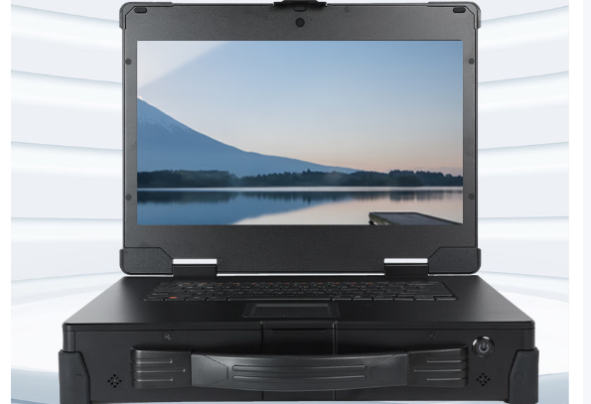
Understanding and Resolving Screen Ripple Issues in Rugged Portable Computers
As a leading brand in the industrial computing sector, SINSMART is committed to providing customers with stable, high-performance products and comprehensive technical support. This article explores the phenomenon of screen “ripples” sometimes observed on rugged portable computers, explains the underlying technical principles, and outlines SINSMART’s proven troubleshooting and solution strategies.
I. The Issue and Initial Feedback
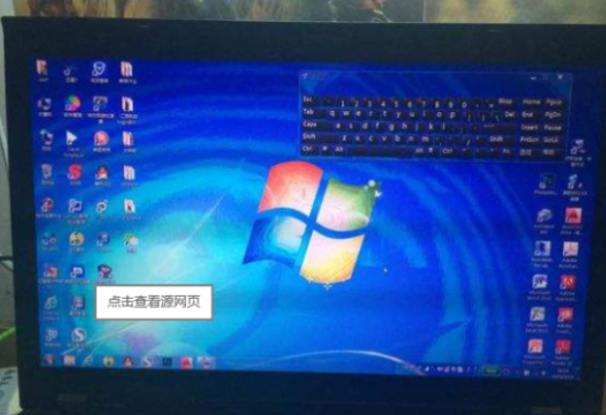
Recently, a customer reported a screen ripple issue on their rugged portable computer. Although such cases are relatively rare, they can impact visual experience and operational efficiency.
Typical symptoms include:
-
Screen flicker or wavy interference lines
-
Image distortion or unstable display output
Our engineers identified three common root causes:
-
Faulty screen ribbon cable
-
Defective display panel
-
Driver board malfunction
II. Electromagnetic Interference and Hardware Compatibility
In this particular case, SINSMART’s engineers conducted controlled tests: when using a standard HDMI cable, the display worked normally. When switching to a flexible ribbon cable, the ripples reappeared.
This finding pointed to electromagnetic interference (EMI) as a likely cause. Industrial portable computers integrate CPUs, memory, I/O interfaces, and power circuitry that generate electromagnetic signals during operation. The ribbon cable between the screen and driver board acts as the bridge for video signal transmission. If its shielding capability is insufficient, display signals can be distorted — resulting in visible ripple effects.
III. SINSMART’s Troubleshooting and Resolution
1. Isolating Driver Board and Display Panel
-
Engineers connected the driver board directly to an external monitor via HDMI. The image was stable, confirming the driver board was not defective.
-
They then replaced the flexible cable with a standard HDMI cable to connect the internal screen — and the display normalized, ruling out a defective screen panel.
2. Targeted Solution
The conclusion: the issue originated from the factory-installed ribbon cable. SINSMART recommended replacing it with a better-shielded cable, thereby improving its EMI resistance and ensuring stable, interference-free display signal transmission at the hardware level.
IV. Technical Insight: What Is Electromagnetic Interference (EMI)?
EMI is a common challenge in high-performance electronic devices. When multiple high-frequency components operate simultaneously, they emit electromagnetic waves that can interfere with signal transmission if shielding or grounding is inadequate. Effects include:
-
Display artifacts (ripples, flicker)
-
Data corruption or communication errors
SINSMART designs its rugged portable pcs to meet strict EMC (Electromagnetic Compatibility) standards. By optimizing PCB layout, reinforcing cable shielding, and implementing proper grounding, SINSMART minimizes EMI impact — ensuring reliability even in harsh electromagnetic environments.

V. Conclusion
While screen ripples may appear as a single technical defect, resolving them reflects SINSMART’s systematic approach to rugged computer R&D and customer support. By combining precise diagnostics with hardware-level optimization, SINSMART ensures reliable performance for mission-critical applications.
Moving forward, as a leading industrial computer manufacturer SINSMART will continue to advance the reliability and environmental adaptability of its rugged computer lineup, delivering more robust and stable industrial computing solutions to customers worldwide.


LET'S TALK ABOUT YOUR PROJECTS
- sinsmarttech@gmail.com
-
3F, Block A, Future Research & Innovation Park, Yuhang District, Hangzhou, Zhejiang, China
Our experts will solve them in no time.