
 Rackmount PC
 Embedded Computing
 Industrial Portable Computers
 Rugged Tablets
 Rugged Laptop
 Industrial Panel PC
 Rugged Handheld
 Advantech Industrial PC
Blog
What Rugged Tablets Support Barcode Scanning Applications?
2026-07-25
Table of Contents
- I. Introduction
- II. Which Rugged Tablet Models Support Barcode Scanning?
- III. How Barcode Scanning Works on a Rugged Tablet
- IV. Verified SINSMART Rugged Tablet Comparison
- V. Windows, Android, or Linux for Barcode Applications?
- VI. Rugged Tablet Barcode Scanning Applications
- VII.How to Choose a Rugged Tablet With Barcode Scanner
- VIII. Integration With WMS, ERP, MES, and Other Systems
- IX. Pilot Test and Procurement Checklist
- X. Conclusion
- XI. FAQ
Introduction
Introduction
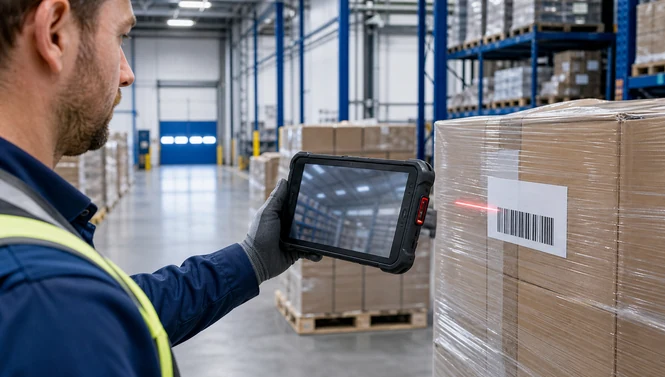
A rugged tablet can support barcode scanning through a dedicated 1D/2D scan engine, an optional modular imager, or its camera. For frequent industrial scanning, a verified integrated imager is normally the safer choice because workers need fast aiming, physical triggers, and reliable decoding—not merely a camera app.
The application is broader than inventory counting. Warehouses scan receiving labels, storage locations, pick lists, pallets, and shipments; manufacturers capture material lots and work-in-process; field teams identify assets; and healthcare teams scan medicines or specimens. Zebra’s 2025 warehouse portfolio notes that picking can represent almost 50% of warehouse labor, which makes the ergonomics and reliability of mobile data capture commercially important (Zebra Warehousing Solutions, 2025).
The short answer is that SINSMART offers barcode-capable models across Windows, Android, and Linux. However, “supports scanning” does not mean every configuration reads every code. Buyers must confirm whether the quoted unit is 1D-only, has a 2D imager, or merely offers the scanner as an option.
Which Rugged Tablet Models Support Barcode Scanning?
Which Rugged Tablet Models Support Barcode Scanning?
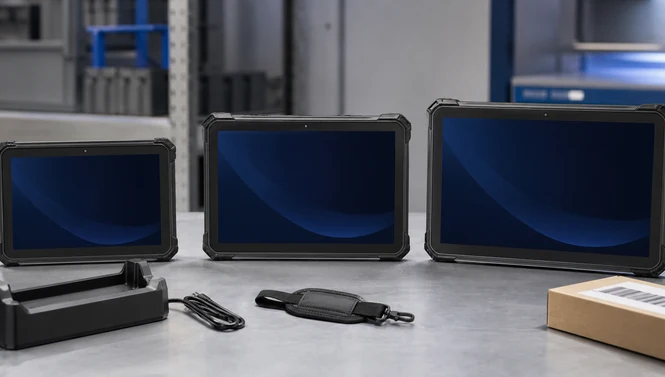
The following current SINSMART models have explicit barcode capability on their live product pages:
-
SIN-I1001E-N150: Windows 11, integrated 1D scanning; the page explicitly states that 2D is not supported.
-
SIN-I1002E-5100 (EX): Windows 10/11 with an optional 2D imager.
-
SIN-T1001E-6833: Android 11 with an integrated 2D scanner.
-
SIN-R840E (Linux): Debian 11 with an optional 2D scanning engine.
-
SIN-Q1201E-6350: Android 11 with an optional 2D scanner, useful where a 12.2-inch screen is preferred.
These are not the only possible configurations in the wider barcode scanner tablet range, but they illustrate the main platform and form-factor choices. Always request a quotation that names the scanner module and required symbologies.
How Barcode Scanning Works on a Rugged Tablet
How Barcode Scanning Works on a Rugged Tablet
Camera scanning
A tablet camera can decode common barcodes when the application includes a software library. This may be adequate for occasional QR codes or clean labels in good light. It is less attractive for high-volume receiving or picking because the operator must frame and focus the image.
Dedicated 1D scanner
A 1D scanner is designed for linear codes such as Code 39, Code 128, EAN, and UPC. It is a focused choice when a workflow uses only traditional linear labels. The SIN-I1001E-N150 Windows tablet is a verified example: its live page lists a 1D scanner and explicitly says “2D: NO.”
Dedicated 2D imager
A 2D imager can usually decode both linear and two-dimensional symbols, subject to the module’s supported symbology list. QR Code, Data Matrix, PDF417, and Aztec are common 2D formats. For mixed-label environments, a 2D engine is generally more flexible. Buyers should still test small, damaged, reflective, curved, and screen-displayed codes rather than assuming universal performance.
Verified SINSMART Rugged Tablet Comparison
Verified SINSMART Rugged Tablet Comparison
Verified SINSMART Rugged Tablet Comparison
|
Model
|
OS
|
Scanner capability
stated on live page
|
Display
|
Protection stated
|
Battery stated
|
Best-fit example
|
|
Windows 11 Home
|
1D included;
2D not supported
|
10.1", 1200×1920,
700 nits
|
IP67; 1.8 m drop
resistance
|
4800 mAh; about
7.4 hours
|
Linear-label inventory
with Windows software
|
|
|
Windows 10/11
|
Optional 2D imager;
5 mil optical resolution
and 50 scans/s stated
|
10.1", 1920×1200 at
400 nits or 1280×800
at 700 nits
|
IP65; MIL-STD-810G;
1.22 m drop
|
Removable 5000
mAh
|
WMS/MES projects
needing Windows and 2D
|
|
|
Android 11/GMS
|
Integrated 2D scanner
|
10.1", 1200×1920,
400 nits
|
IP65; 1 m drop
|
9500 mAh; endurance
claim based on
specified video test
|
Healthcare, pharmacy,
mobile Android workflows
|
|
|
Debian 11
|
Optional 2D engine;
5 mil and 50 scans/s
stated
|
8", 800×1280,
700 nits
|
IP65; MIL-STD-810G;
1.22 m drop
|
Removable
10,000 mAh
|
Compact Linux integration
and field data capture
|
|
|
Android 11
|
Optional 2D scanner
|
12.2", 1920×1200
|
IP65; MIL-STD-810G
|
12,600 mAh; page
states up to 7 hours
|
Forklift, dispatch, and
large-form warehouse UI
|
Specifications apply only to the linked page and configuration. “Optional” means the base unit should not be assumed to include the scanner.
Windows, Android, or Linux for Barcode Applications?
Windows, Android, or Linux for Barcode Applications?
Windows, Android, or Linux for Barcode Applications?
Windows, Android, or Linux for Barcode Applications?
Choose the operating system after identifying the application—not before.
Windows fits organizations with desktop WMS, ERP, MES, label-printing tools, browser applications dependent on Windows peripherals, or custom .NET software. The Windows barcode tablet category includes models with docking and industrial interface options. Confirm the organization’s Windows version and lifecycle policy during procurement.
Android suits touch-first warehouse applications, mobile device management, web apps, and purpose-built data-capture clients. It can reduce training friction for teams familiar with mobile interfaces. Confirm that the application supports the exact Android version, GMS requirements, scan-button mapping, and background update policy.
Linux is valuable for system integrators that control their own application stack, image, drivers, and security configuration. The SIN-R840E provides a verified Debian option, but integration teams should obtain scanner documentation and test input behavior before rollout.
Rugged Tablet Barcode Scanning Applications
Rugged Tablet Barcode Scanning Applications
Warehouse and logistics
A rugged tablet for warehouse inventory can combine receiving, put-away, cycle counting, picking, packing, and shipping in one device. A 10-inch unit balances portability and screen space, while a 12-inch tablet can make a vehicle-mounted WMS easier to read. For long-range pallet labels, confirm scan distance; the standard scanner in a tablet may not replace an extended-range handheld.
Manufacturing traceability
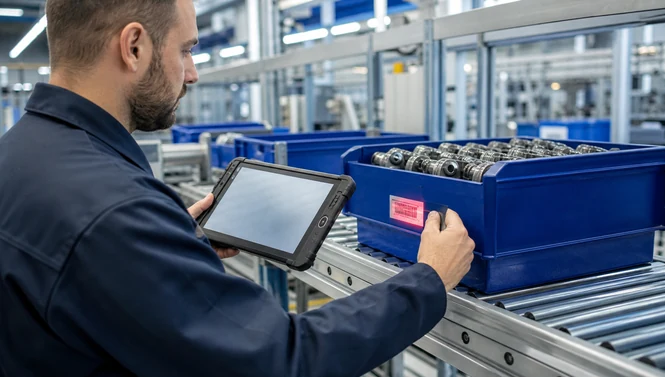
Operators can scan raw-material lots, component bins, travelers, serial numbers, and finished goods, then update MES or quality records. A 2D imager is useful where compact Data Matrix codes appear on parts. Glove operation, physical scan keys, Wi-Fi roaming, and resistance to dust or drops may matter more than benchmark performance.
Field service and asset management
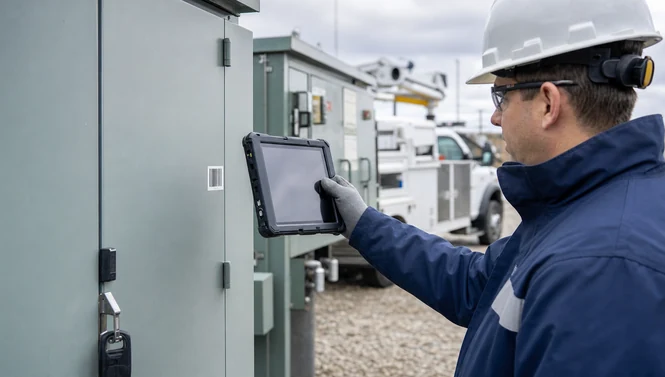
Technicians can scan an asset ID, open its service record, capture photographs, record measurements, and synchronize the job. GPS and cellular data may be valuable, but an offline queue is essential where coverage is inconsistent.
Healthcare and pharmacy
Barcode workflows can support medicine identification, stock control, specimen handling, and bedside applications. The SIN-T1001E-6833 page lists an integrated 2D scanner and IEC 60601-1 compliance. Healthcare purchasers still need to validate cleaning agents, application certification, privacy controls, and the precise clinical workflow.
How to Choose a Rugged Tablet With Barcode Scanner
How to Choose a Rugged Tablet With Barcode Scanner
How to Choose a Rugged Tablet With Barcode Scanner
Start with the labels and workflow:
-
List every symbology. Record Code 128, EAN/UPC, QR Code, Data Matrix, PDF417, or other formats.
-
Measure the real scan distance. A worker scanning a tote at 30 cm has a different requirement from a forklift driver reading a pallet several meters away.
-
Collect difficult samples. Include small, damaged, glossy, curved, poorly printed, and phone-screen codes.
-
Match the software platform. Confirm OS version, API or SDK support, key-wedge behavior, and whether the app accepts suffixes such as Enter or Tab.
-
Define the environment. Specify dust, water, drop height, vibration, cleaning, temperature, gloves, and outdoor brightness.
-
Plan the shift. Compare measured application runtime, removable or hot-swappable batteries, charging docks, and vehicle power.
-
Map connectivity. Test Wi-Fi roaming, cellular bands, Bluetooth peripherals, and offline transaction recovery.
-
Check ergonomics. Validate weight, hand strap, trigger placement, screen size, scan angle, and repeated-use comfort.
Integration With WMS, ERP, MES, and Other Systems
Integration With WMS, ERP, MES, and Other Systems
Integration With WMS, ERP, MES, and Other Systems
Tablet barcode scanner integration is more than decoding a label. The application must place the value in the correct field, validate it, prevent duplicate transactions, and synchronize it reliably.
Ask the supplier or integrator how the scan engine exposes data. A keyboard-wedge mode can make scanned content appear as keystrokes and may simplify browser or legacy applications. An SDK offers more control over symbology enablement, aim behavior, feedback, multi-code capture, and error handling. Verify that the scanner service survives device sleep, application updates, and kiosk-mode restrictions.
For fleet deployment, define:
-
device enrollment and configuration;
-
application distribution and update windows;
-
scan-profile management;
-
user authentication and role permissions;
-
encryption and remote-lock policy;
-
offline queues and conflict handling;
-
logs for failed scans or synchronization;
-
spare units, batteries, docks, and repair turnaround.
The SINSMART deployment guide adds useful planning context, but the acceptance test should be specific to your software and labels.
Pilot Test and Procurement Checklist
Pilot Test and Procurement Checklist
Pilot Test and Procurement Checklist
Run a small pilot before purchasing a fleet. Use production labels, normal lighting, gloves, the real wireless network, and the actual application.
Track first-pass read rate, time per transaction, misreads, connection interruptions, battery consumption, device temperature, and operator feedback. Test receiving, put-away, picking, exception handling, and end-of-shift charging—not just a demonstration scan.
Common deployment mistakes to avoid
Do not approve a fleet from a clean-label desk test. Production codes may be smaller, farther away, wrinkled, dirty, reflective, or printed with less contrast. A scanner that reads a sample in an office may behave differently under warehouse lighting or through vehicle glass.
Avoid treating “barcode support” as a complete specification. The purchase order should identify the scanner option, supported code families, trigger behavior, and any required software package. If the application relies on a scanner service or SDK, record its version with the device image so later updates can be regression-tested.
Do not overlook workflow feedback. Operators need an obvious audible, visual, or vibration confirmation for a successful scan, plus a clear response when the code is invalid or the network is offline. Otherwise, repeated scans and duplicate transactions can offset the expected productivity gain.
Finally, plan charging and spares before go-live. A large stated battery capacity does not guarantee a full production shift because brightness, cellular use, cold conditions, scanning frequency, and application load affect runtime. Test with the normal power profile and define where devices, docks, and spare batteries will be stored.
When requesting a quotation, provide:
-
required 1D and 2D symbologies;
-
minimum and maximum scan distance;
-
label size, material, and condition;
-
Windows, Android, or Linux version;
-
WMS/ERP/MES/EHR application and integration method;
-
screen size and brightness;
-
IP, drop, temperature, or regulatory requirements;
-
Wi-Fi, cellular, GNSS, NFC, or RFID needs;
-
docks, mounts, straps, and spare-battery requirements;
-
pilot quantity, rollout quantity, and lifecycle expectations.
This information lets SINSMART recommend a quoted configuration rather than a generic base model.
Conclusion
Conclusion
Conclusion
The best rugged tablet for barcode scanning is the model whose scanner, software, environment, and ergonomics are proven together. Choose SIN-I1001E-N150 only when 1D scanning is sufficient. Consider SIN-I1002E-5100 (EX), SIN-T1001E-6833, SIN-R840E, or SIN-Q1201E-6350 when a verified 2D option better matches the workflow. Then test the precise quoted configuration against real labels and applications.
For a project recommendation, send SINSMART your symbologies, scan distance, OS, environment, accessories, and expected fleet size.
FAQ
FAQ
FAQ
Q1: Can every rugged tablet scan barcodes?
Most can use a camera-based app, but not every model includes a dedicated scan engine. Confirm whether the quoted configuration has integrated 1D, integrated 2D, optional 2D, or camera-only scanning.
Q2: Which SINSMART rugged tablet supports 2D barcode scanning?
Verified examples include SIN-I1002E-5100 (EX), SIN-T1001E-6833, SIN-R840E, and SIN-Q1201E-6350. Some list 2D as optional, so it must appear in the quotation.
Q3: Is the SIN-I1001E-N150 suitable for QR codes?
Its current product page states 1D scanning and explicitly states “2D: NO.” Select another configuration if QR Code or Data Matrix is required.
Q4: Is Android or Windows better for warehouse scanning?
Android often fits touch-first mobile WMS applications; Windows fits desktop, legacy, .NET, and Windows-dependent tools. The better choice is the platform supported by your application and management policy.
Q5: Can a rugged tablet replace a handheld barcode scanner?
It can when the screen and computing functions add value and the scanner meets the distance and throughput requirement. A small handheld or extended-range scanner may remain better for intensive one-handed or long-distance scanning.
Q6: What is the difference between 1D and 2D barcode scanning?
1D scanners target linear codes. A 2D imager can generally read both linear and matrix-style codes, subject to its supported symbology list.
Q7: Does IP65 mean a tablet is waterproof?
IP65 indicates dust protection and resistance to water jets under the rating’s test conditions; it does not mean unlimited immersion. Use the exact model’s declared IP rating and operating instructions.
Q8: Do I need an SDK for a barcode application?
Not always. Keyboard-wedge input may work with browser or legacy fields. An SDK is useful when the app must control scanner profiles, triggers, symbologies, feedback, or advanced capture behavior.
Q9: What should a barcode-scanning pilot test measure?
Measure first-pass reads, transaction time, misreads, battery use, wireless interruptions, offline recovery, comfort, and performance with damaged or difficult labels.
Q10: What information should I send for a rugged tablet quotation?
Send the symbologies, scan range, label samples, OS and application, environmental requirements, connectivity, accessories, pilot and rollout quantities, and required lifecycle.


LET'S TALK ABOUT YOUR PROJECTS
- sinsmarttech@gmail.com
-
3F, Block A, Future Research & Innovation Park, Yuhang District, Hangzhou, Zhejiang, China
Our experts will solve them in no time.